Track ownership, enforce accountability, and keep complex systems running smoothly without leaving Slack.
Learn how teams use Decision Desk:
Track ownership, enforce accountability, and keep complex systems running smoothly without leaving Slack.
Learn how teams use Decision Desk:
You’ve felt this before
You spend your day connecting people, processes, and priorities.
Then one delayed approval stalls a dozen other tasks.
Someone assumes someone else made the call.
Deadlines slip — not from poor execution, but from invisible decisions.
Ops teams don’t fail from lack of structure. They fail when clarity can’t keep up with speed.
Clarity
Where operations lose momentum
No decision trail: Temporary calls become permanent without review.
Unclear ownership: Approvals and follow-ups bounce between teams.
Context gaps: New leads can’t see why past choices were made.
The bigger the org, the faster this compounds.
Momentum
What changes when decisions are visible
Ownership is clear and public
Cross-team handoffs run smoothly
Reviews focus on results, not rehashing choices
New team members inherit working logic, not confusion
Clarity makes processes scalable. Without it, growth becomes friction.
Control
How Decision Desk fits in
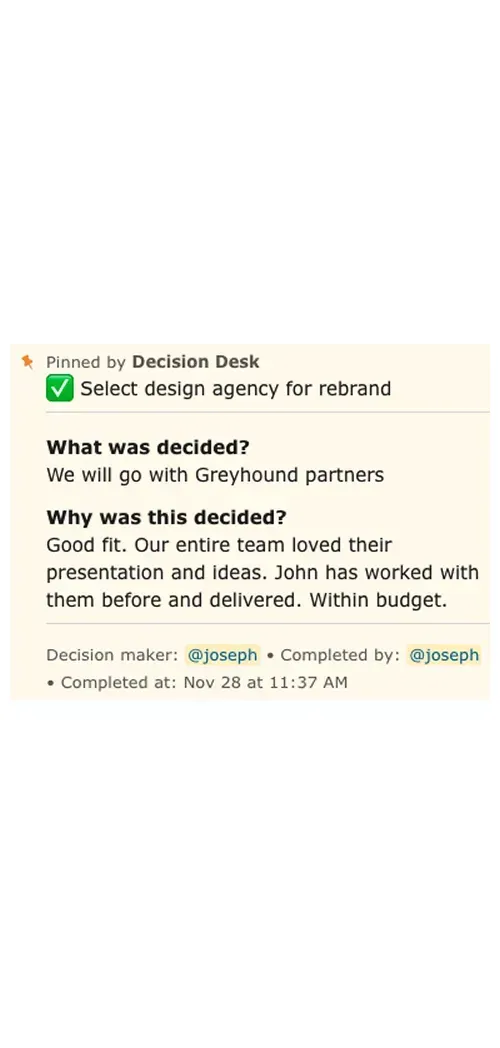
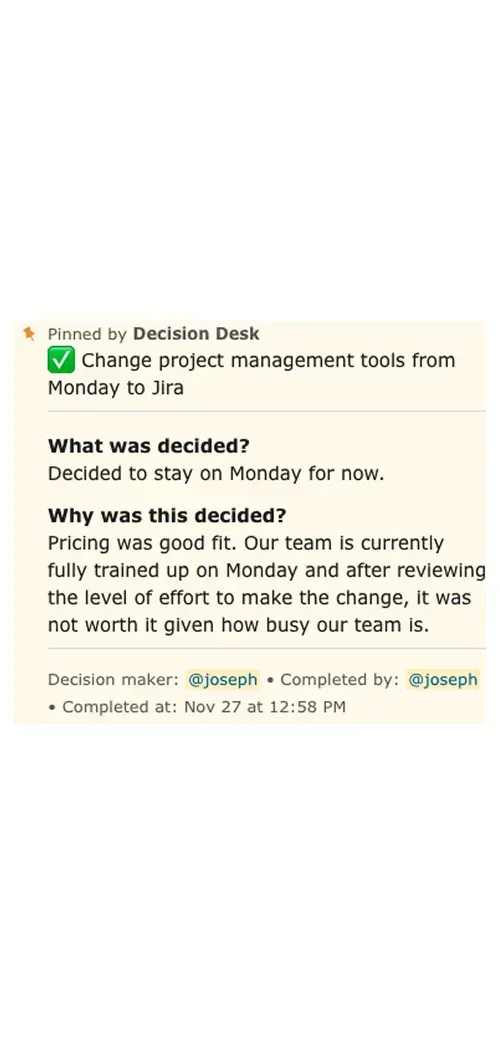
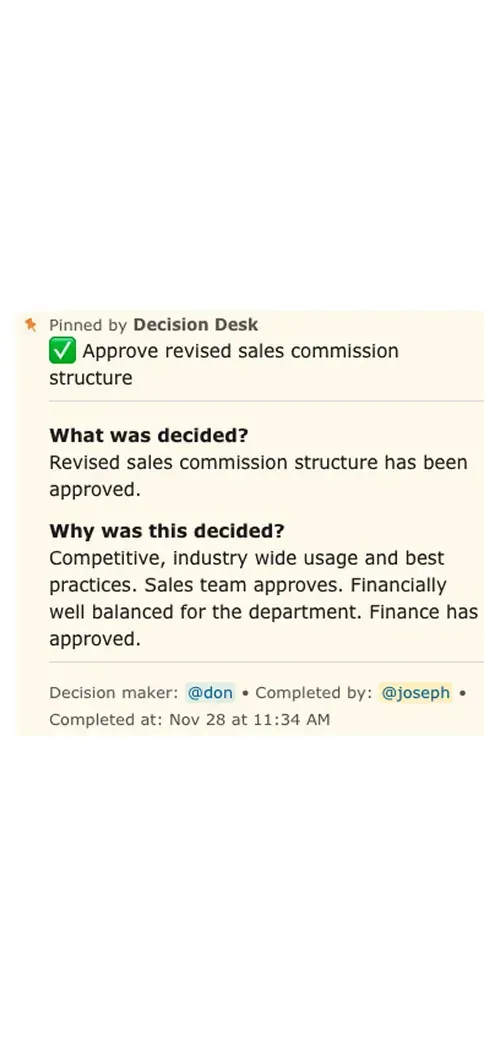
Decision Desk gives operations teams a single place to capture and revisit the calls that shape their work.
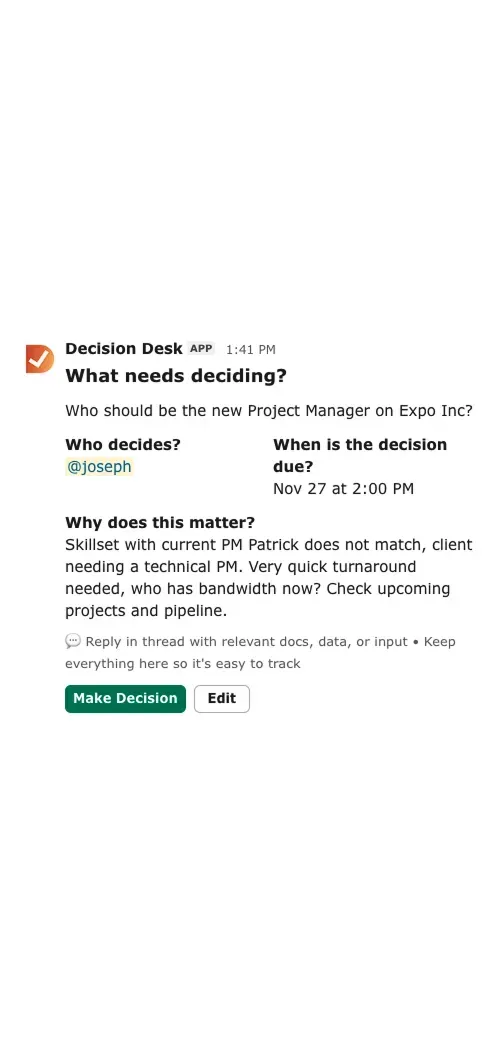
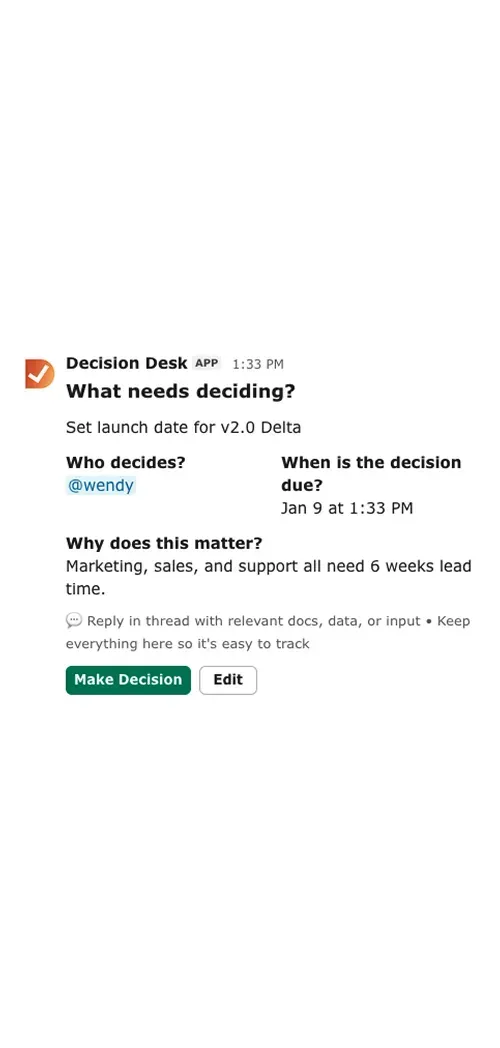
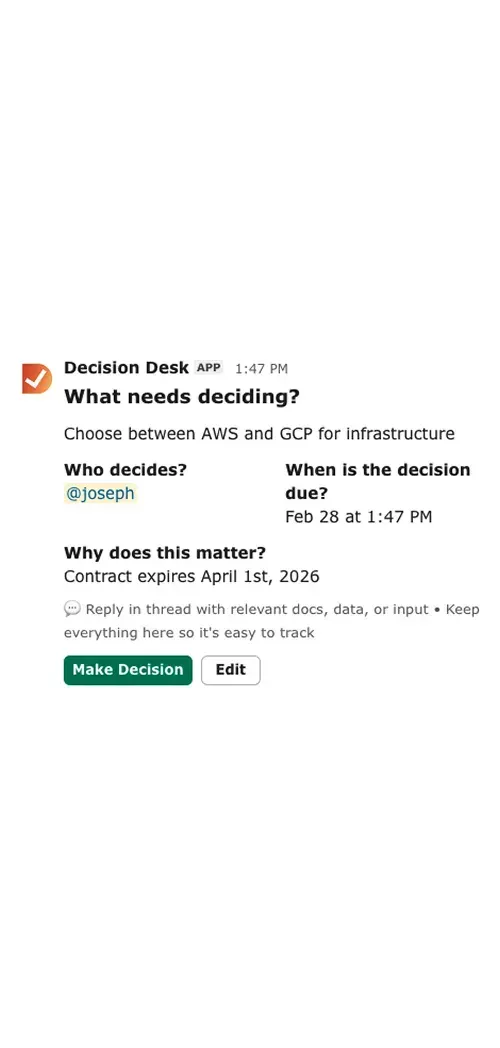
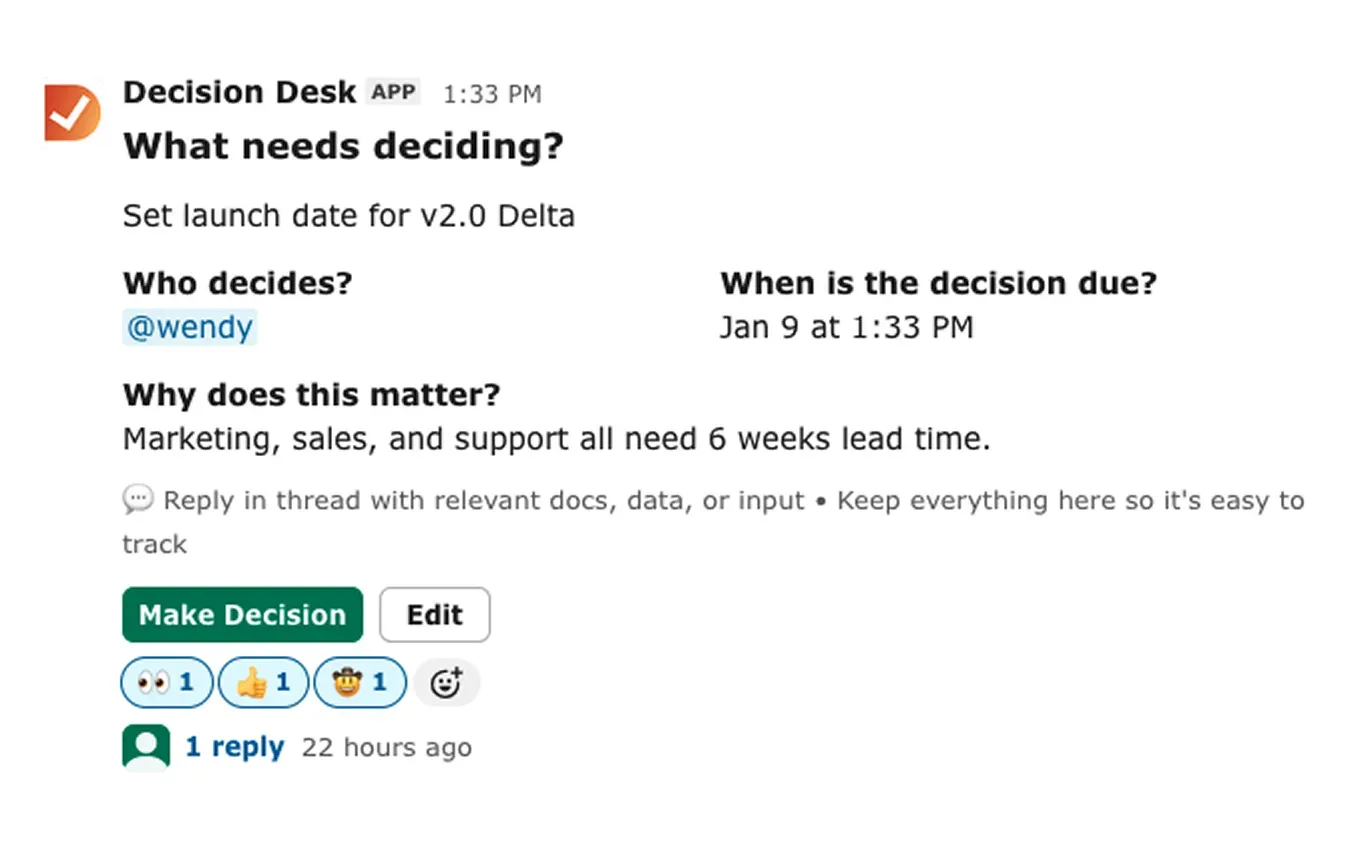
Every decision includes:
What’s being decided
Who owns it
When it’s due
Why it matters
Once logged, it’s visible to everyone involved — linked to the right Slack channel, document, or workflow. No chasing approvals, no forgotten context, no guessing what happened last quarter.

Why it matters
During a handoff: capture ownership changes before they’re forgotten
During a process update: log why a policy or workflow changed
During a leadership sync: record who owns the final call and when it’s due
The more you capture, the easier it is to scale clarity across the company.
Operations runs on trust and timing. When decisions are visible, accountability feels shared, not forced.
People act faster because they know what’s decided and what’s still open. That’s how alignment becomes a habit, not a hope.
What You’ll See Inside DecisionDesk
Decision log
A searchable record of every decision, owner, and outcome so context is never lost.
Ownership dashboard
See which decisions are in progress or completed, and who’s responsible.
Automated reminders
Keep owners accountable with scheduled nudges that never feel manual.
Slack integration
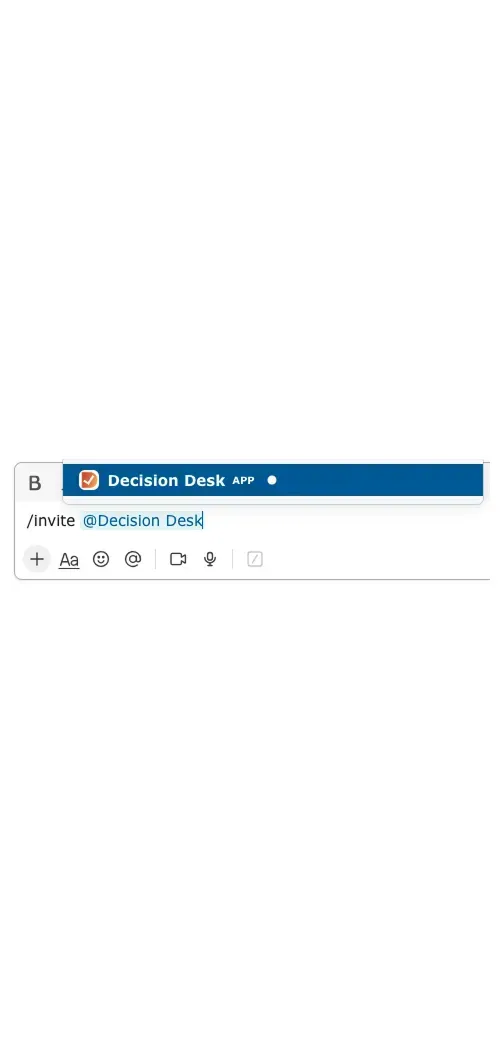
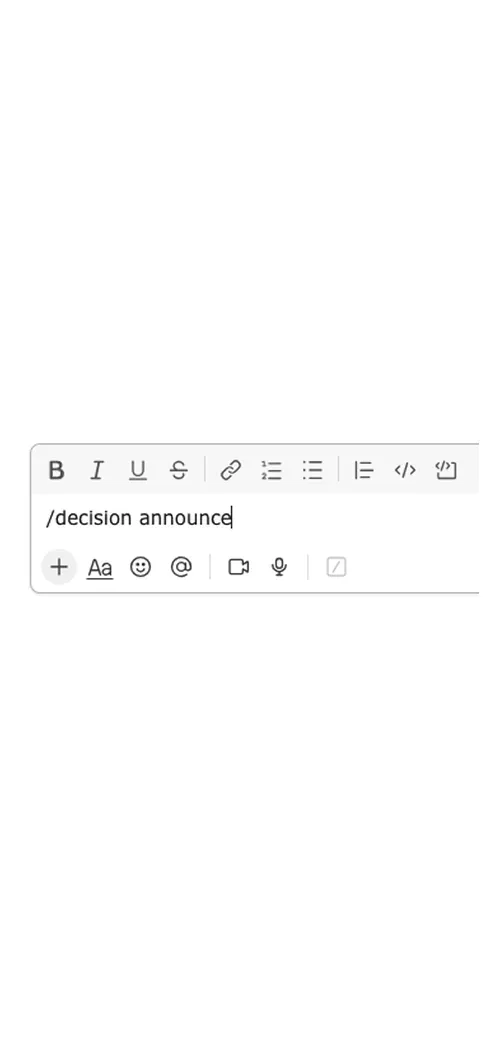
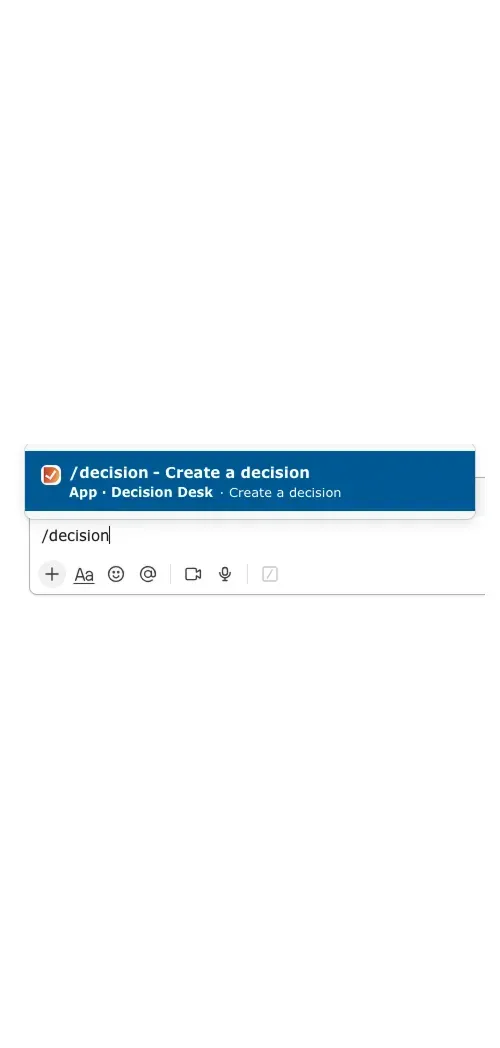
Capture and update decisions directly from the conversation where they happen.
Explore how teams use Decision Desk
See how different teams turn decisions into action with clarity and accountability.

Keep projects moving with clear, documented decisions that everyone can see, trust, and act on.

Keep campaign and creative decisions moving fast without losing alignment or context.

Give leadership teams visibility into what’s decided, what’s pending, and who owns it — turning alignment into measurable follow-through.

Capture decisions on renewals, onboarding, and escalations so customers always feel informed and supported.

Keep product and engineering aligned by capturing every decision — what was decided, why it mattered, and who made the call.

Keep sales deals moving by capturing every approval, pricing call, and internal decision directly inside Slack.
Keep people decisions fair, consistent, and visible by capturing approvals, policies, and context in one shared place.

Help teams capture, assign, and follow through on every call — so alignment never fades.

Help IT teams capture every decision — what was approved, who made the call, and why — without ever leaving Slack.
Frequently asked questions
How does Decision Desk help operations teams day to day?
It captures the decisions that hold projects and processes together — who owns them, when they’re due, and why they matter. Ops teams stay proactive instead of reactive because every decision is visible and traceable.
Can it help with cross-team communication?
Yes. Decision Desk makes it easy to see what’s decided across departments. Marketing, finance, and HR can all view the same decision record, so alignment happens naturally instead of through endless meetings or messages.
What happens when team leads change roles?
Nothing gets lost. Each decision is tied to context and ownership history, so transitions are smoother. The new lead can see what’s already decided, why it happened, and what’s still pending.
Does it work for recurring or process-driven work?
Absolutely. You can reuse and revisit decisions for recurring workflows — like quarterly reviews, policy updates, or vendor changes — instead of rebuilding logic each time. It turns process management into a living system.
Can it support compliance or audit needs?
Yes. Every decision has a timestamp, owner, and reasoning attached, creating a reliable trail of accountability. It’s an easy way to show how and why choices were made, without adding extra admin work.
How quickly can a team get started?
Most operations teams are up and running in minutes. You add the app to Slack, capture your first decision, and everything else feels natural. The value shows up the moment your next meeting ends with, “That’s decided.”
Is it useful for agile teams?
Yes. Agile teams use Decision Desk to capture sprint-level decisions — what to prioritize, what to delay, or what to test next. It keeps context flowing between standups, retros, and planning, so nothing important slips between meetings.
How is Decision Desk different from project management tools?
Project management tools track tasks and timelines. Decision Desk tracks the calls that make those tasks possible. It focuses on decisions, accountability, and clarity — the things that actually move projects forward. It works alongside your existing PM tools, not instead of them.
Do I need to train my team?
Hardly at all. Decision Desk is built to feel native in Slack, so most teams start using it within minutes. The workflow is simple and familiar — create a decision, assign ownership, set a deadline, and move on. Clarity becomes a habit without a formal rollout.
Will Decision Desk slow down my workflow?
Not at all. Decision Desk is designed to disappear into your daily rhythm. It lives inside Slack, so decisions are captured as you work, not as an extra step. It’s lightweight, fast, and built to support your flow — not interrupt it.
Bring clarity to every decision in Slack.
Install Decision Desk and instantly see who's responsible and what's decided.
Start free for 14 days. No credit card required.