Capture decisions on renewals, onboarding, and escalations so customers always feel informed and supported.
Learn how teams use Decision Desk:

Capture decisions on renewals, onboarding, and escalations so customers always feel informed and supported.
Learn how teams use Decision Desk:
You’ve felt this before
A customer asks for a feature.
You check with product. They say, “We discussed that months ago.”
Sales chimes in with, “We told them it was on the roadmap.”
Ops asks, “Who approved that?”
You’re left piecing together a story that should already exist.
You’re not short on care or effort. You’re short on clarity.
Clarity
Where Customer Success loses momentum
Scattered context: Key customer decisions live in Slack threads or inboxes.
Slow approvals: Internal alignment drags while the customer waits.
Invisible ownership: It’s unclear who makes the final call on escalations or renewals.
Customer experience breaks when internal decisions aren’t clear.
Momentum
What changes when decisions are visible
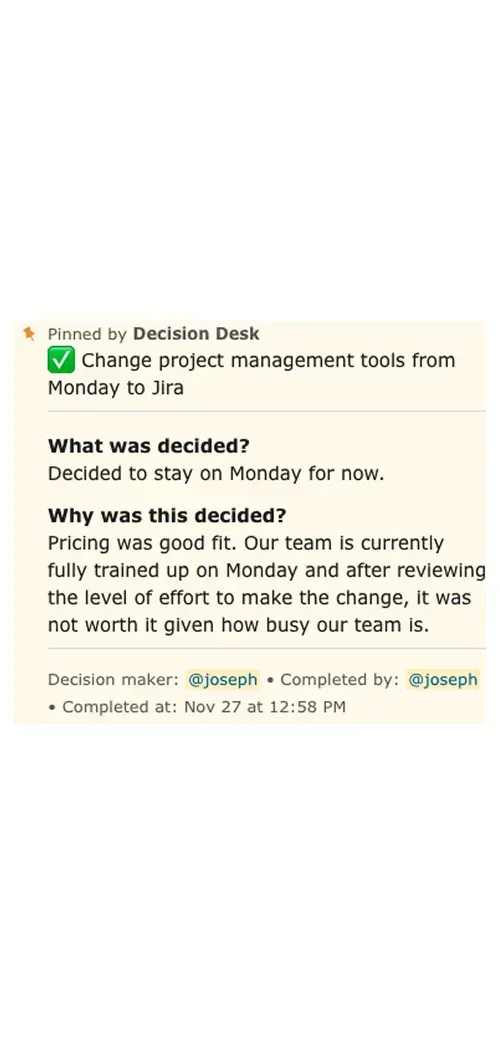
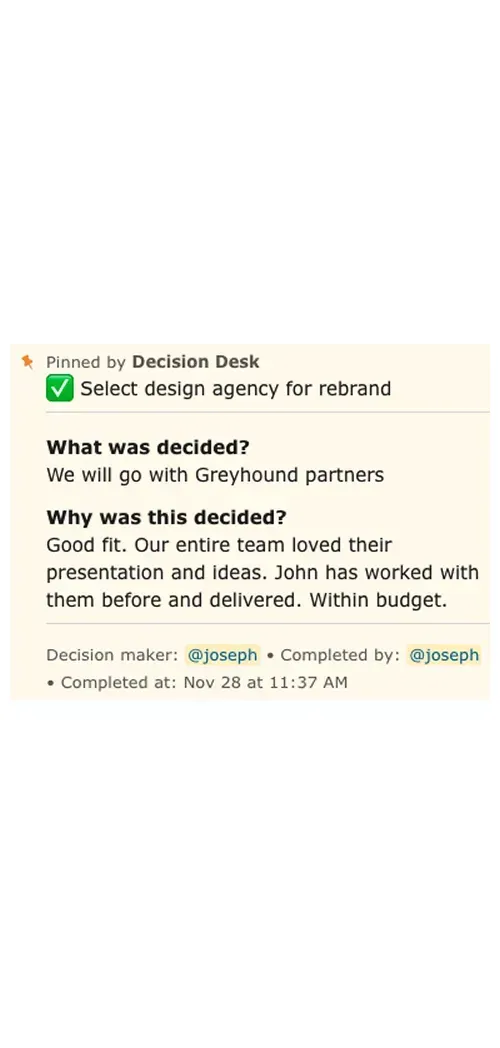
Everyone sees what was promised and why.
Escalations resolve faster with visible ownership.
Customer conversations stay consistent across teams.
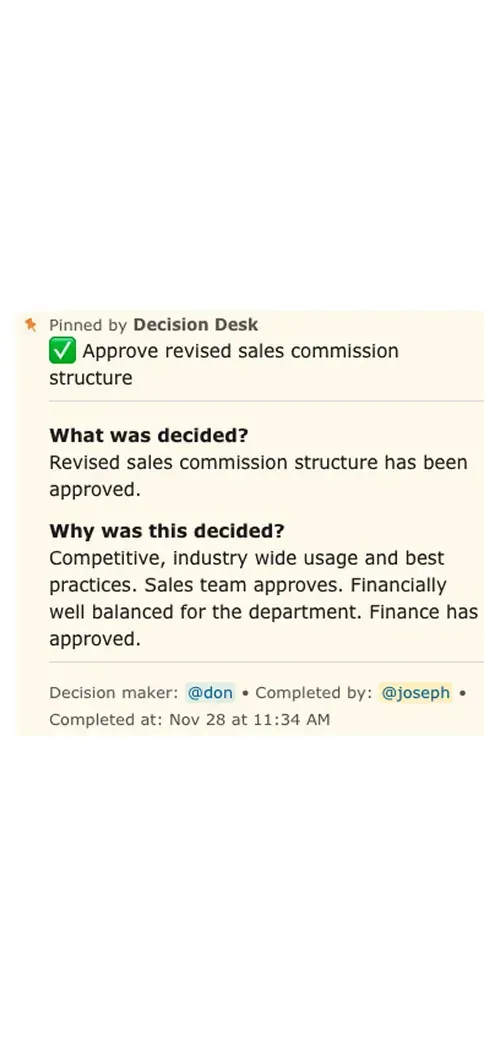
Leadership can trace the “why” behind every major account choice.
Clarity inside builds confidence outside.
Control
How Decision Desk fits in
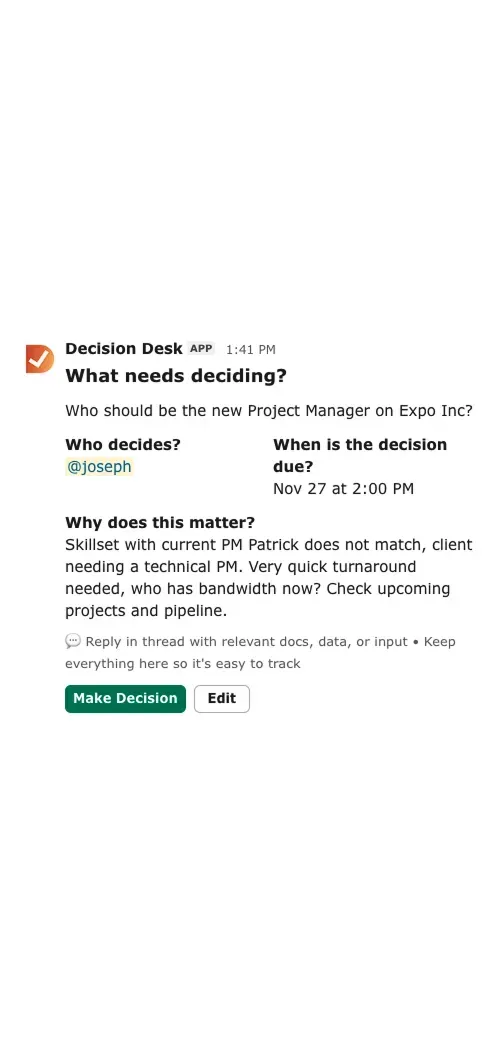
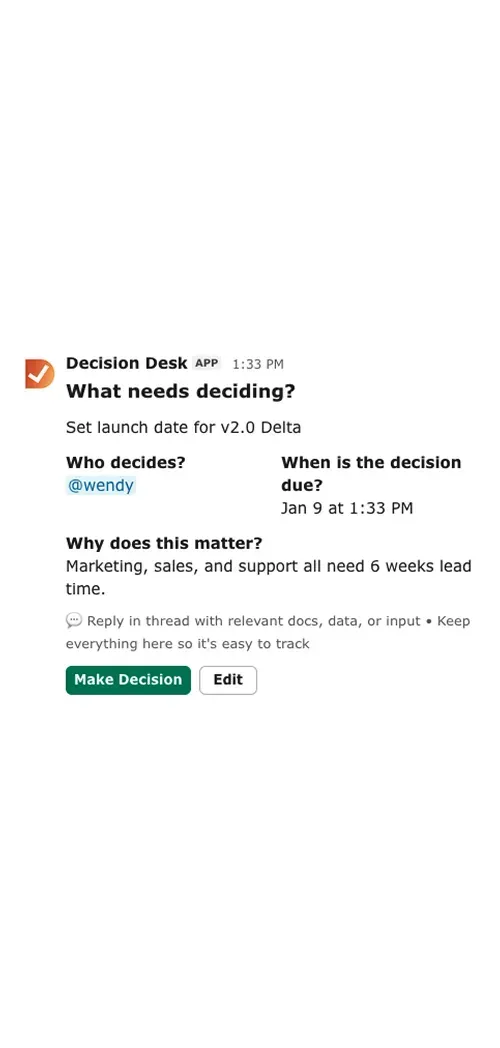
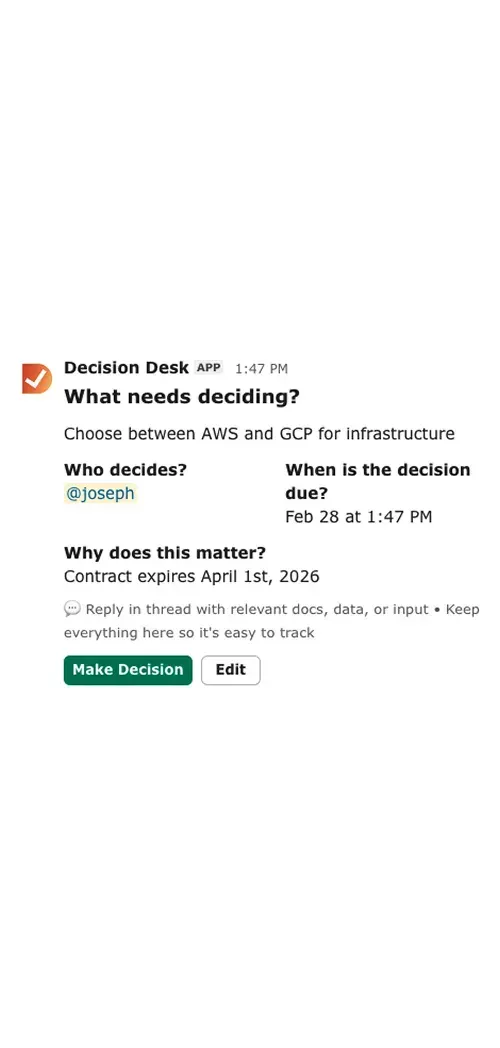
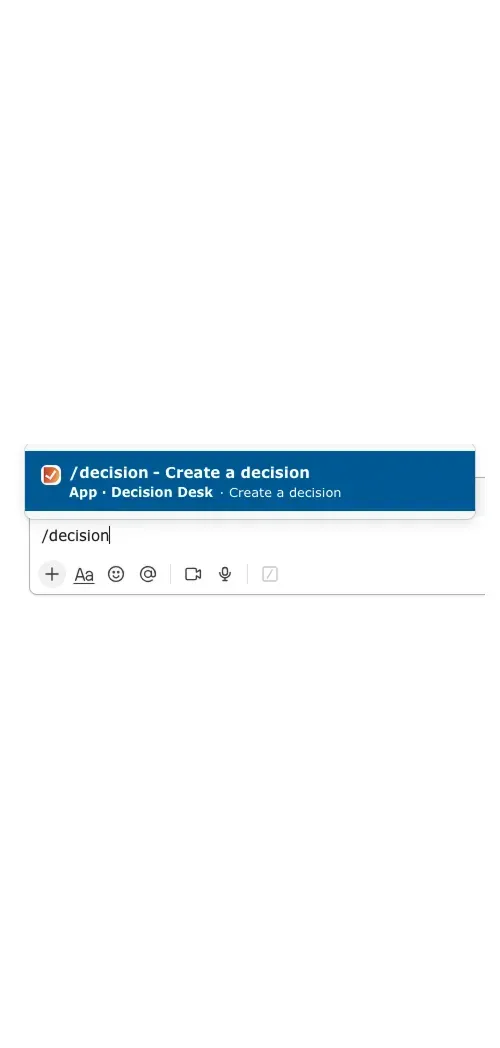
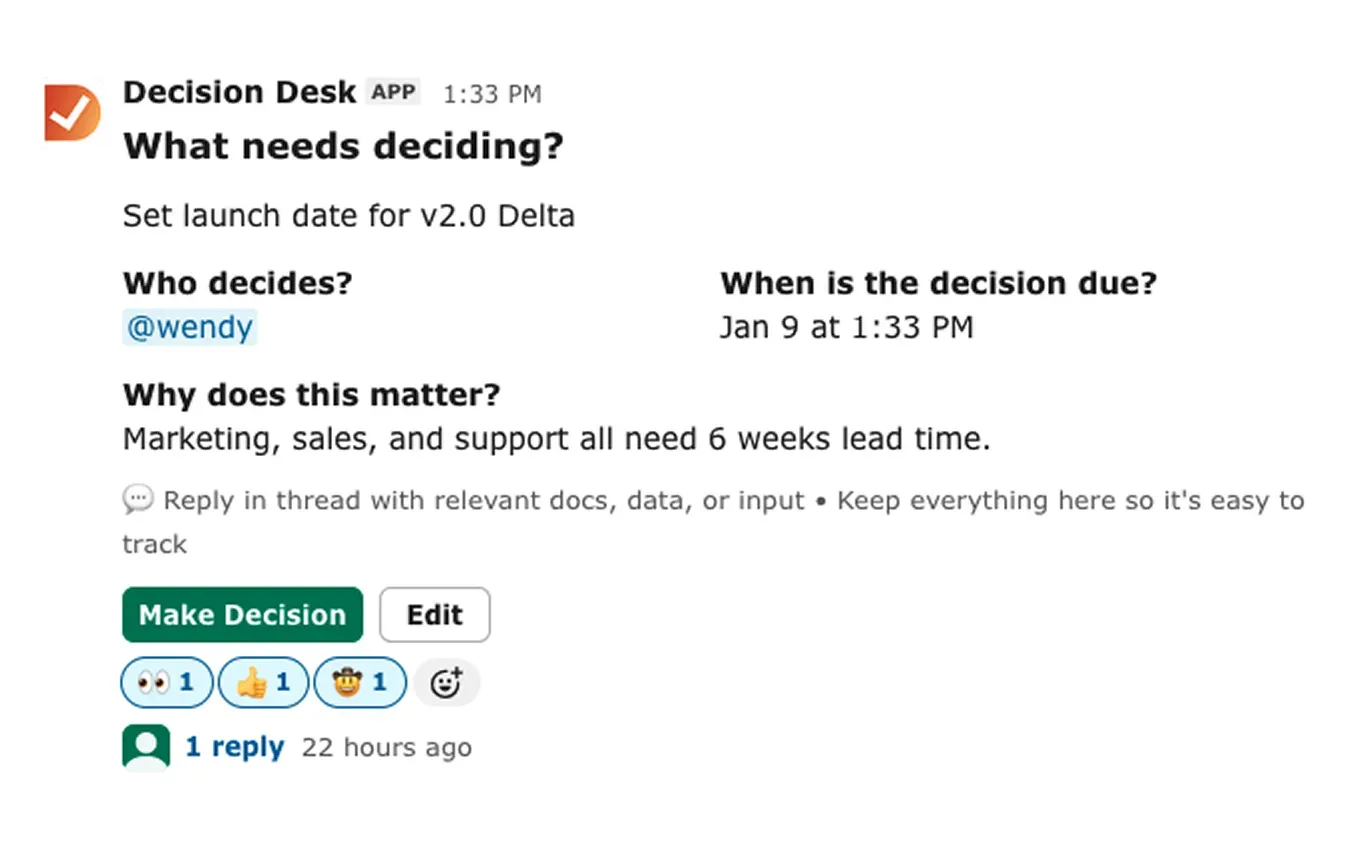
Decision Desk turns everyday customer decisions into shared, trackable records.
Each decision includes:
What’s being decided
Who owns it
When it’s due
Why it matters
You can link decisions to specific accounts, tickets, or renewals.
When something changes, everyone — from CSM to exec sponsor — sees the context instantly.
No more Slack archaeology or internal guessing games.

Why it matters
During onboarding: record account setup choices and customer preferences
During renewals: log who approved pricing exceptions or contract terms
During escalations: capture internal decisions and next steps so nothing’s lost
The more you capture, the faster your team adapts and the more consistent your customers’ experience becomes.
Customer Success depends on alignment.
When internal clarity is strong, customers feel it. Decision Desk helps teams scale that clarity — making every handoff, renewal, and response smoother. That’s what trust feels like at scale.
What You’ll See Inside DecisionDesk
Decision log
A searchable record of every decision, owner, and outcome so context is never lost.
Ownership dashboard
See which decisions are in progress or completed, and who’s responsible.
Automated reminders
Keep owners accountable with scheduled nudges that never feel manual.
Slack integration
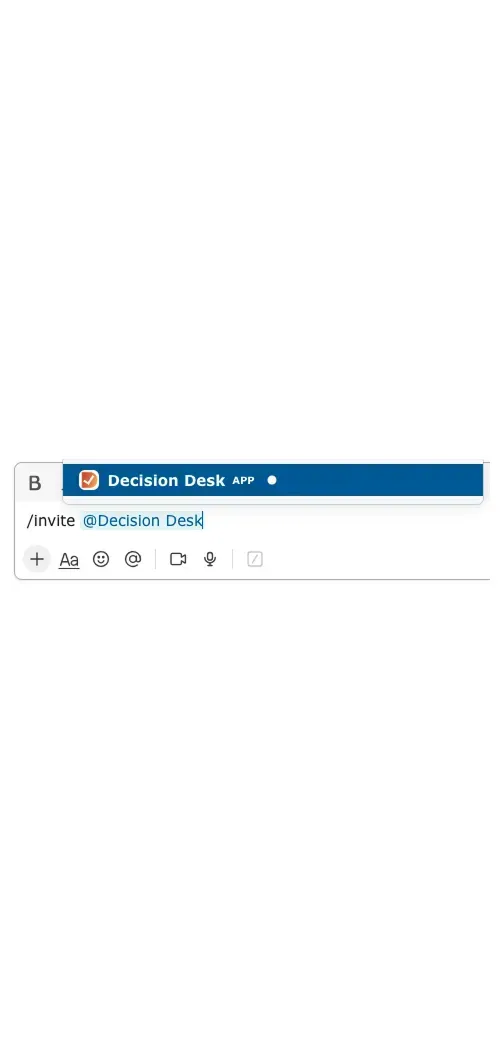
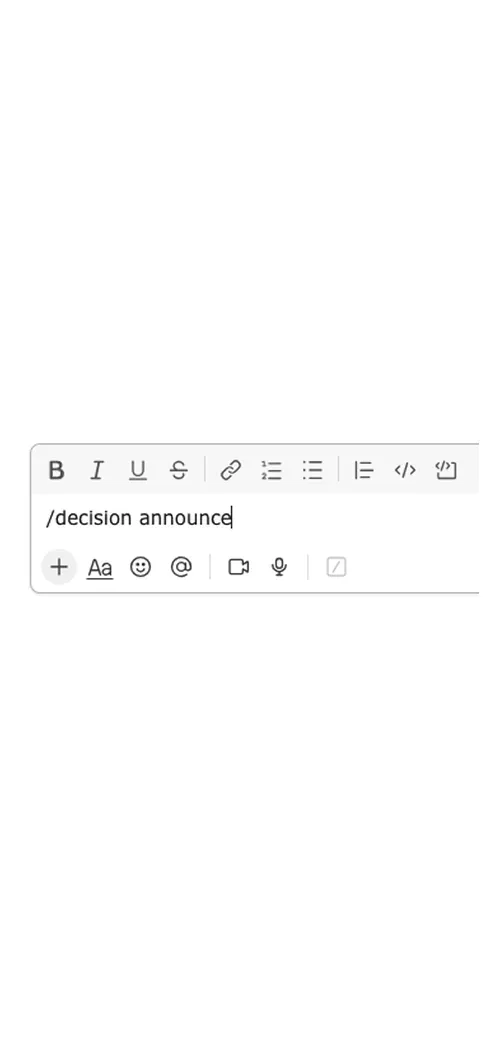
Capture and update decisions directly from the conversation where they happen.
Explore how teams use Decision Desk
See how different teams turn decisions into action with clarity and accountability.

Keep projects moving with clear, documented decisions that everyone can see, trust, and act on.

Keep campaign and creative decisions moving fast without losing alignment or context.

Give leadership teams visibility into what’s decided, what’s pending, and who owns it — turning alignment into measurable follow-through.
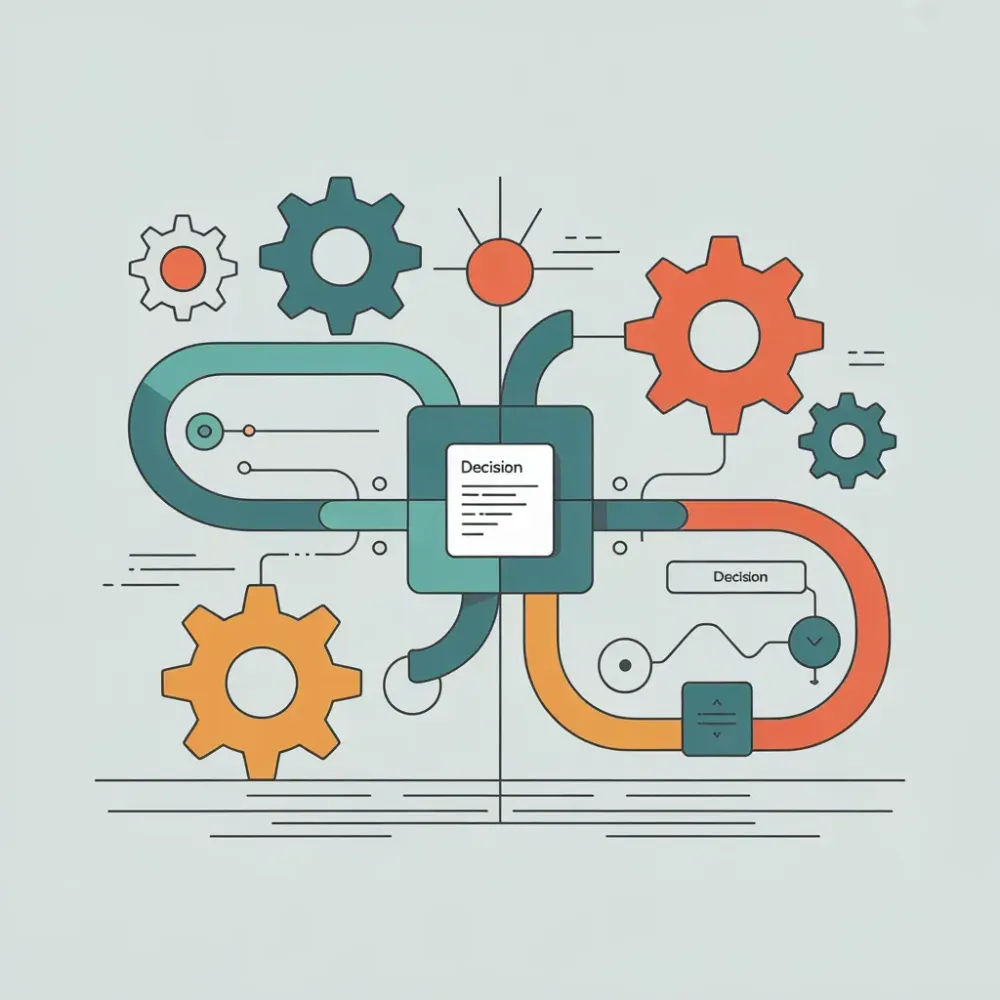
Keep cross-functional decisions aligned and documented, so everyone moves together.

Keep product and engineering aligned by capturing every decision — what was decided, why it mattered, and who made the call.

Keep sales deals moving by capturing every approval, pricing call, and internal decision directly inside Slack.
Keep people decisions fair, consistent, and visible by capturing approvals, policies, and context in one shared place.

Help teams capture, assign, and follow through on every call — so alignment never fades.

Help IT teams capture every decision — what was approved, who made the call, and why — without ever leaving Slack.
Frequently asked questions
How does Decision Desk help customer success teams day to day?
It keeps every account-related decision visible — from feature requests to renewal approvals. Instead of digging through threads, teams can instantly see what was decided, who decided it, and why.
Can it improve customer handoffs between teams?
Yes. Decision Desk bridges Sales, Onboarding, and Support by giving everyone access to the same decision history. Context flows naturally between teams, so customers don’t repeat themselves.
What about renewals and escalations?
Each escalation or renewal can have its own decision record — including rationale, owner, and timeline. When leadership needs visibility, everything is organized and searchable in one place.
Can Decision Desk connect to our CRM or support tools?
Yes. You can link decisions to tools like Salesforce, HubSpot, or Intercom, so customer context stays tied to the systems you already use. It fits into your workflow, not on top of it.
How does it help Customer Success leadership?
Leaders can review decision patterns across accounts — seeing where deals get stuck, what customers ask for most, and how quickly teams respond. That visibility turns scattered decisions into strategic insight.
How quickly can we roll it out?
Teams usually start using it the same day. Add Decision Desk to Slack, log your first customer-related decision, and you’re ready. Clarity starts showing up immediately.
Is it useful for agile teams?
Yes. Agile teams use Decision Desk to capture sprint-level decisions — what to prioritize, what to delay, or what to test next. It keeps context flowing between standups, retros, and planning, so nothing important slips between meetings.
How is Decision Desk different from project management tools?
Project management tools track tasks and timelines. Decision Desk tracks the calls that make those tasks possible. It focuses on decisions, accountability, and clarity — the things that actually move projects forward. It works alongside your existing PM tools, not instead of them.
Do I need to train my team?
Hardly at all. Decision Desk is built to feel native in Slack, so most teams start using it within minutes. The workflow is simple and familiar — create a decision, assign ownership, set a deadline, and move on. Clarity becomes a habit without a formal rollout.
Will Decision Desk slow down my workflow?
Not at all. Decision Desk is designed to disappear into your daily rhythm. It lives inside Slack, so decisions are captured as you work, not as an extra step. It’s lightweight, fast, and built to support your flow — not interrupt it.
Bring clarity to every decision in Slack.
Install Decision Desk and instantly see who's responsible and what's decided.
Start free for 14 days. No credit card required.