Consulting projects succeed when decisions don’t disappear. We built Decision Desk to help teams capture, assign, and follow through on every call — so alignment never fades.
Learn how teams use Decision Desk.

Consulting projects succeed when decisions don’t disappear. We built Decision Desk to help teams capture, assign, and follow through on every call — so alignment never fades.
Learn how teams use Decision Desk.
You’ve felt this before
You run a client workshop, align on next steps, and leave confident in the plan.
A week later, everyone remembers it differently.
Internal notes say one thing, the client recalls another, and your delivery team’s waiting for sign-off.
You’re not missing effort — you’re missing decisions.
In consulting, clarity is your product and every undocumented call quietly erodes trust, timelines, and margins.
Clarity
Where Consulting teams lose alignment
In consulting work, every workshop, client meeting or internal sync should end with clarity.
But more often than not, what you think you’ve agreed isn’t what happens later.
Here’s what gets in the way:
Ownership gets blurry when client and internal teams overlap.
Decisions happen and then get buried in threads, emails and next-week agendas.
Scope shifts, time-zones, multiple clients mean the context fades fast.
One study found that 57 % of project failures stem from breakdowns in communication.
The cost of delay and re-work quietly eats into margin and trust.
When decisions vanish, momentum stalls. When momentum stalls, clients notice.
That’s why decision clarity isn’t optional — it’s the backbone of every successful engagement.
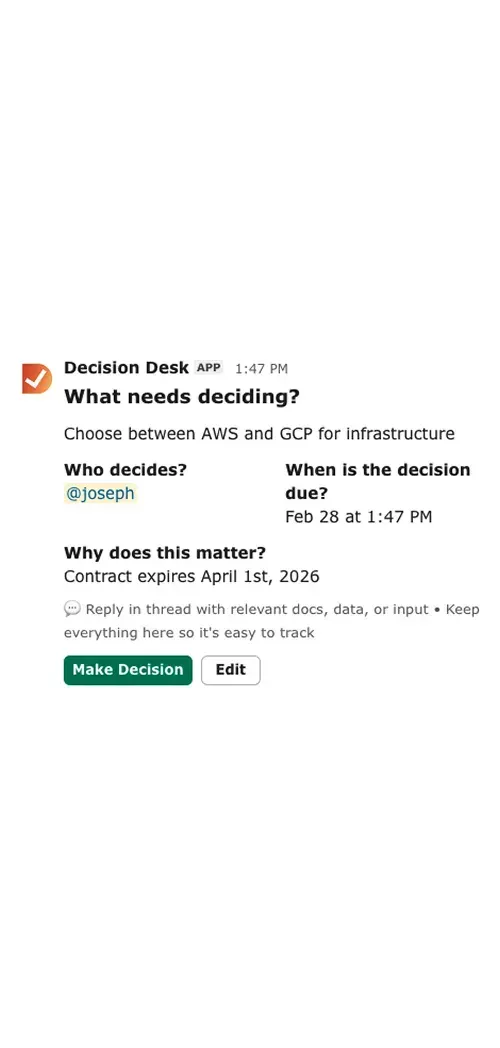
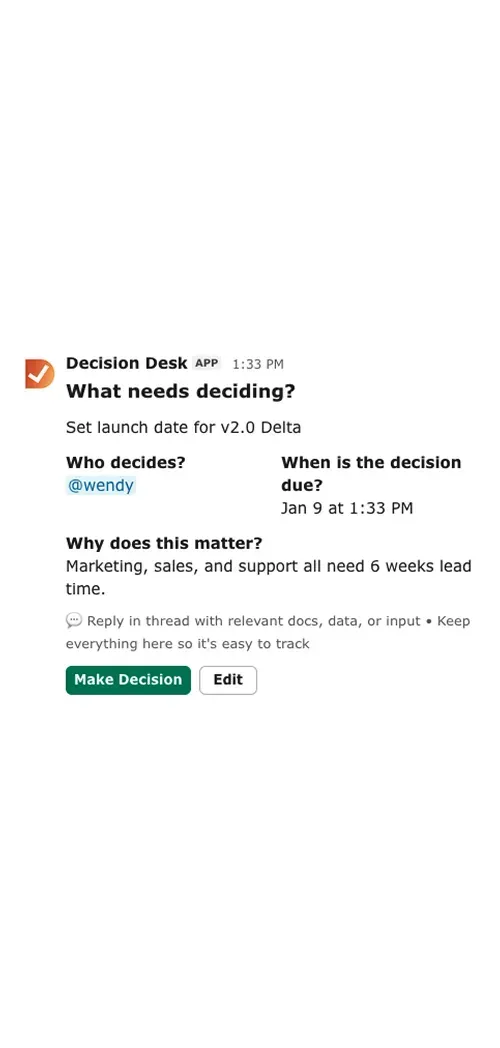
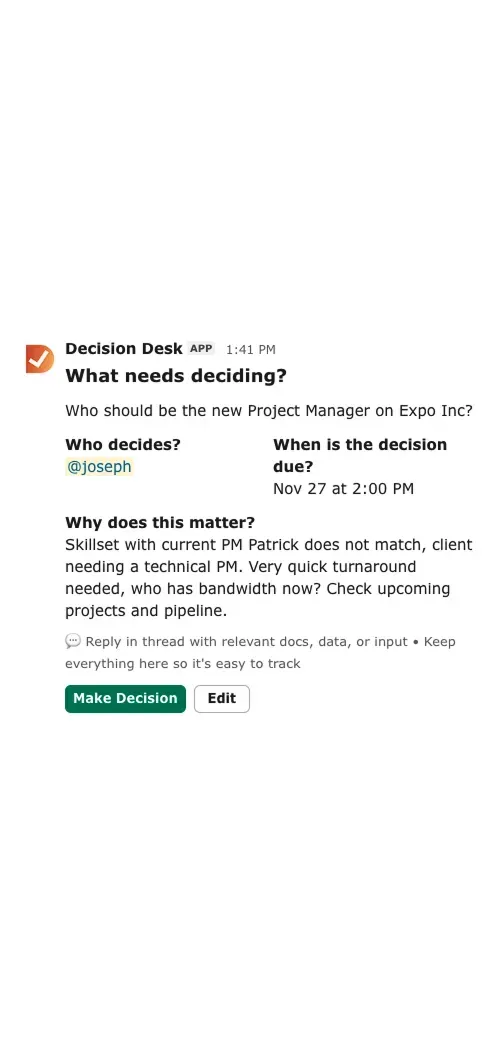
Momentum
How consulting teams use Decision Desk
Step-by-step workflow:
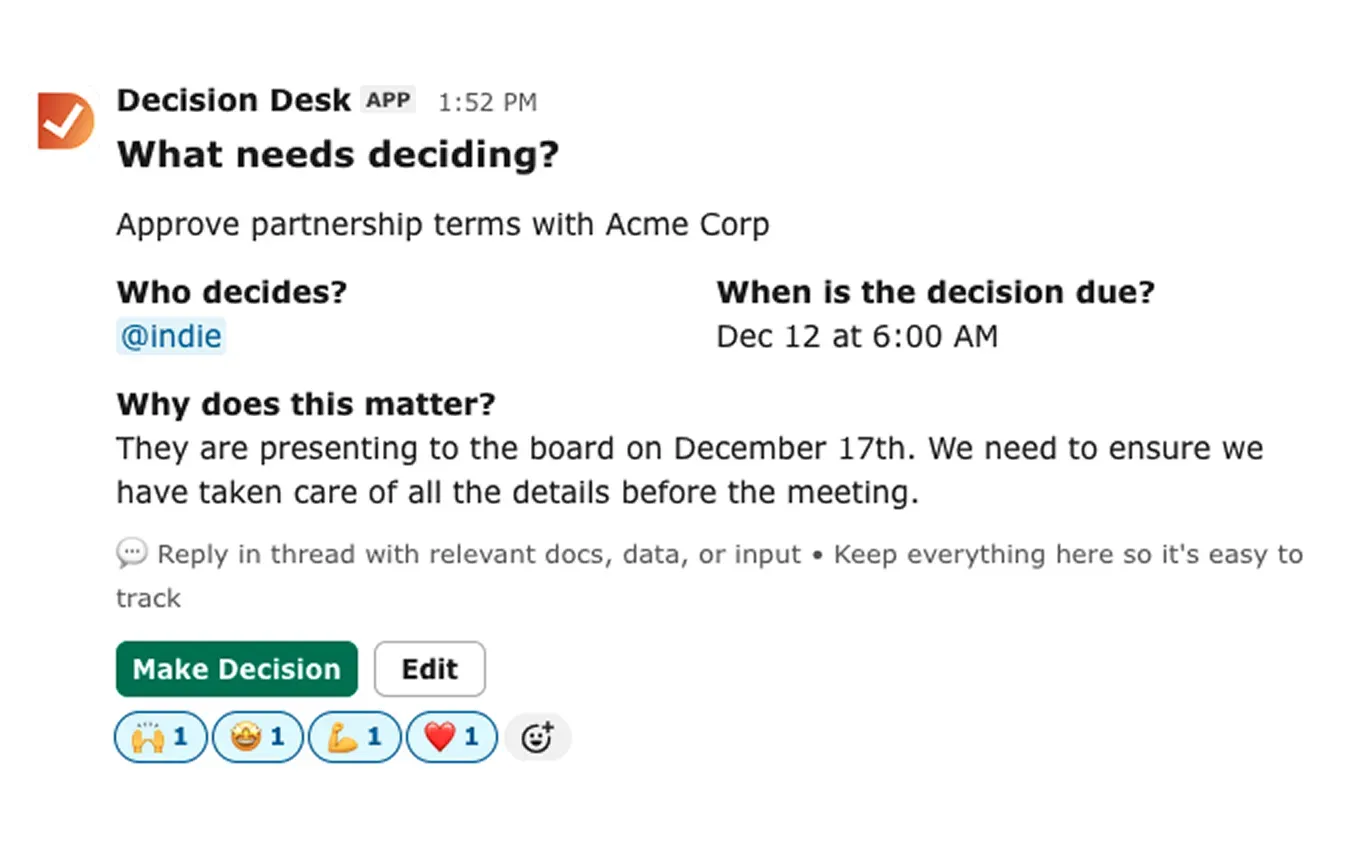
Capture the decision directly from the Slack thread or workshop summary.
Assign one clear owner and set a due date — visible to the team.
Debate, document rationale and attach any supporting notes or client comments.
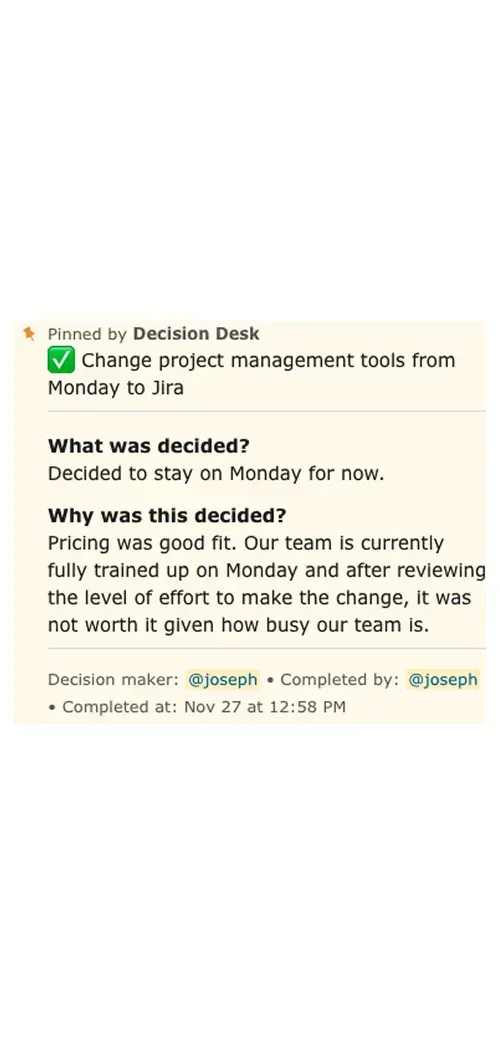
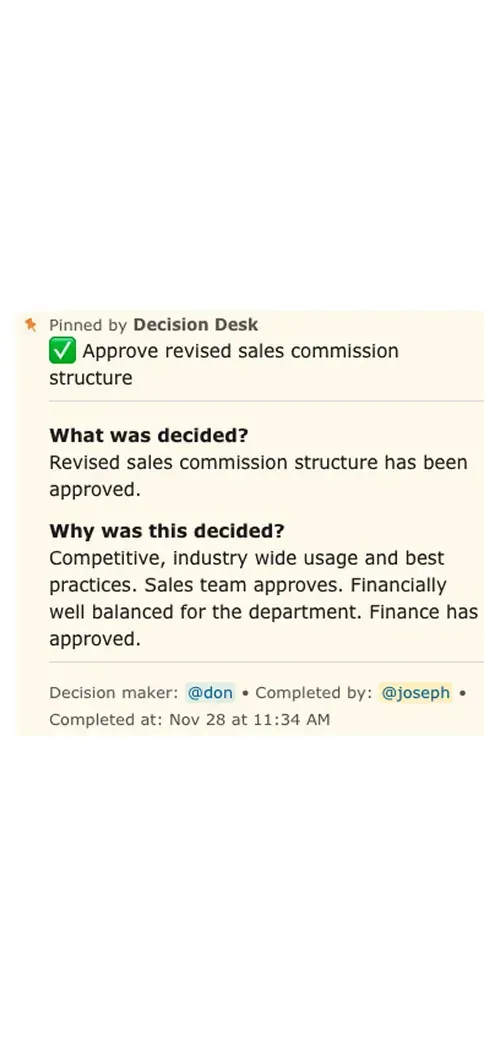
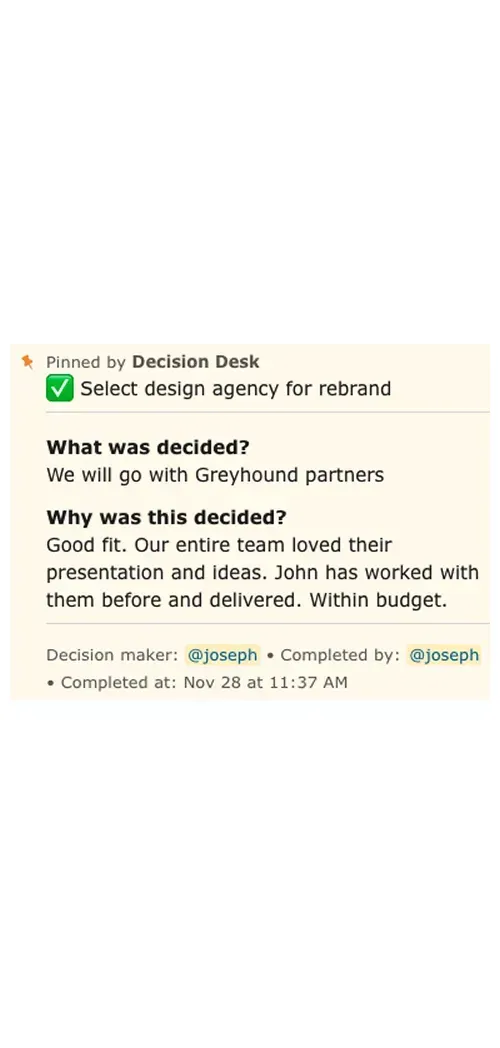
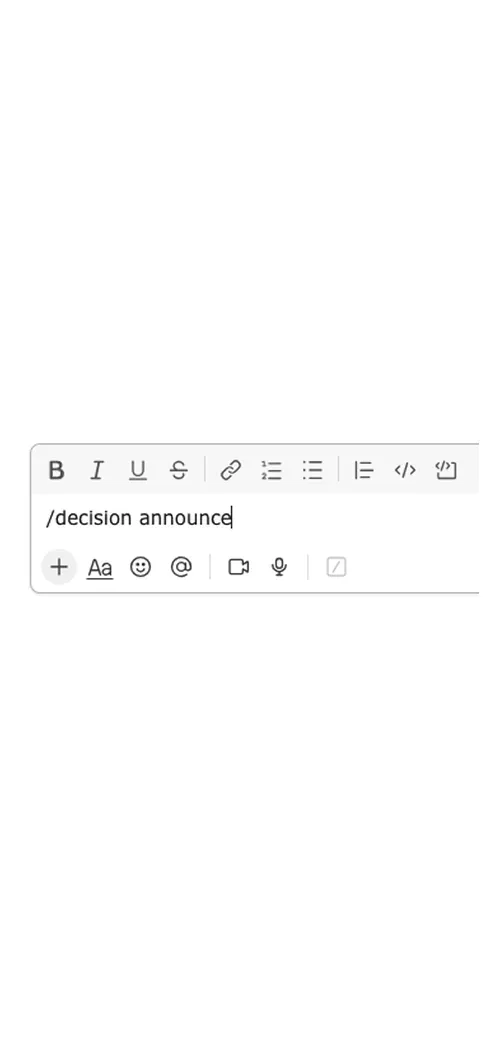
Mark the decision as made; announce it in the channel so all stakeholders know.
Keep the decision logged, searchable and ready for future reference.
💡 Pro tip: Once that owner knows they’re accountable, they stay on top of related tasks and deliverables — before things slip sideways.
Control
How Decision Desk fits in
You already use tools like Asana, ClickUp or Monday for tasks and project tracking. Decision Desk plugs in next level: it handles the decision that gives those tasks purpose.
PM tools manage action after decision.
Notion and docs hold context.
Decision Desk tracks, assigns and monitors the decision itself.
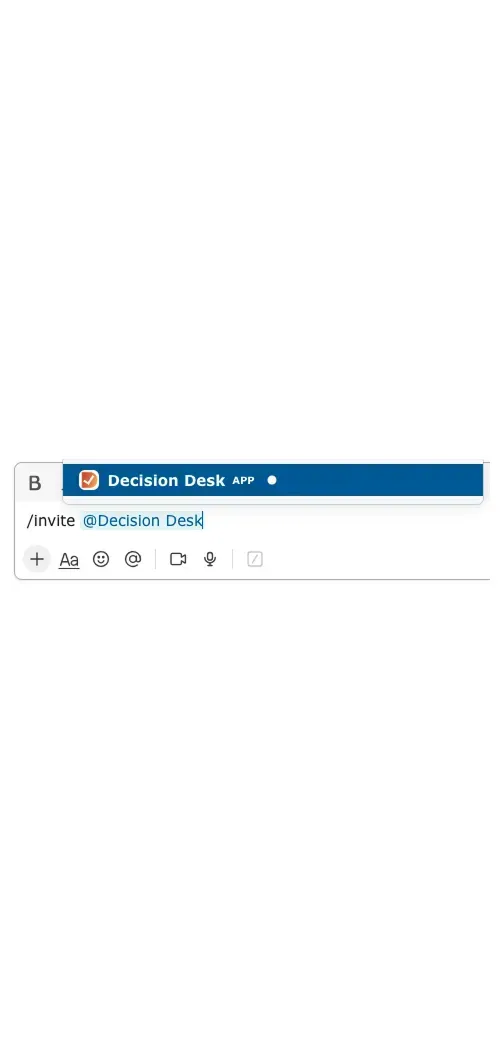
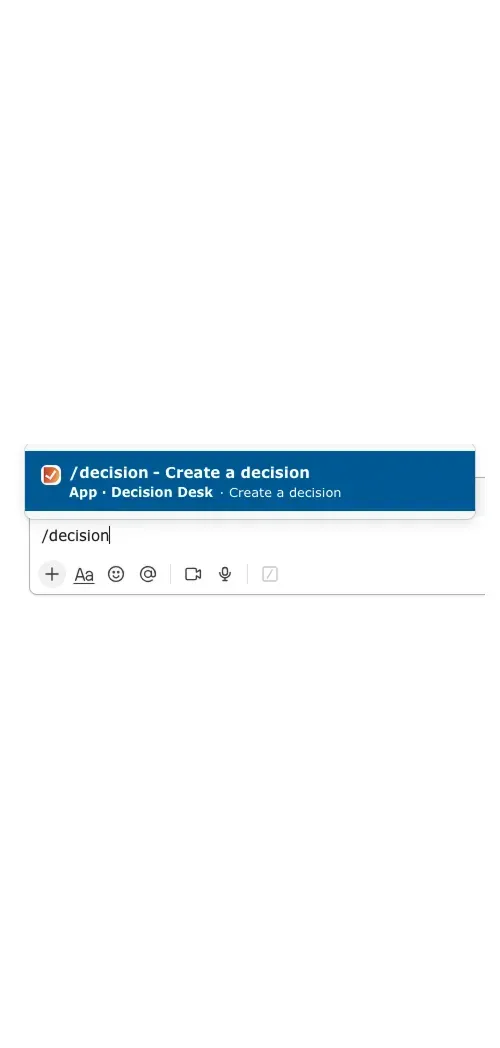
It complements, it doesn’t replace. It lives right where your team communicates: Slack.

Designed for consulting realities
Multi-client, multi-time-zone workstreams: Decisions span clients and locations — our system keeps ownership visible across context.
Client approvals and internal alignment: Capture both external and internal sign-offs, so nothing falls between teams.
Scope change tracking: When the decision changes, record the change — not just the tasks that follow it.
Audit trail & stakeholder visibility: Every decision becomes a living record — searchable, revisitable, and transparent.
Research & Insights
Projects where decision ownership is unclear face much higher risk of schedule, cost or quality slips. For example, one analysis found 71 % of projects failed to meet time, budget and quality metrics.
Consultancy-level engagements often suffer from “decision debt” — hidden delays from untracked choices that erode margin and trust.
Organizations that make decisions visible, assign clear owners and follow up reduce the silent cost of drift.
Explore our blog for deeper insights on decision debt, follow-through culture and how leading firms capture decisions in Slack.
What You’ll See Inside DecisionDesk
Decision log
A searchable record of every decision, owner, and outcome so context is never lost.
Ownership dashboard
See which decisions are in progress or completed, and who’s responsible.
Automated reminders
Keep owners accountable with scheduled nudges that never feel manual.
Slack integration
Capture and update decisions directly from the conversation where they happen.
Explore how teams use Decision Desk
See how different teams turn decisions into action with clarity and accountability.

Keep projects moving with clear, documented decisions that everyone can see, trust, and act on.

Keep campaign and creative decisions moving fast without losing alignment or context.

Give leadership teams visibility into what’s decided, what’s pending, and who owns it — turning alignment into measurable follow-through.

Capture decisions on renewals, onboarding, and escalations so customers always feel informed and supported.
Keep cross-functional decisions aligned and documented, so everyone moves together.

Keep product and engineering aligned by capturing every decision — what was decided, why it mattered, and who made the call.

Keep sales deals moving by capturing every approval, pricing call, and internal decision directly inside Slack.

Keep people decisions fair, consistent, and visible by capturing approvals, policies, and context in one shared place.

Help IT teams capture every decision — what was approved, who made the call, and why — without ever leaving Slack.
Frequently asked questions
How does Decision Desk help consulting teams day to day?
It captures and organizes every decision from client calls, workshops, and internal syncs — right inside Slack.
When questions arise later, you can instantly trace back what was agreed, by whom, and when.
That visibility reduces rework, builds client trust, and keeps delivery teams aligned.
Can clients be part of the process?
Yes. You can include external stakeholders in specific decision threads or summaries.
It keeps clients informed without exposing your entire workspace, and ensures everyone stays aligned on what was decided.
How does it help with accountability?
Every decision in Decision Desk has an owner and a deadline.
That means no more “Who’s waiting on who?” conversations — internally or with clients.
Accountability becomes visible, not personal.
How does this work across multi-client, multi-time-zone teams?
Each decision gets its own thread, owner, due-date and context. Time-zones don’t matter because the record is searchable, updates are asynchronous and visibility spans the entire client + internal ecosystem.
Does it replace our project management tool?
No. Decision Desk complements tools like Asana, ClickUp, or Monday.
Those handle tasks; Decision Desk handles decisions.
It fills the gap between “we discussed it” and “we agreed on it.”
How does Decision Desk integrate with frameworks like RACI or DACI?
Decision Desk aligns seamlessly with your accountability frameworks. You still define roles and responsibilities via RACI/DACI. Then Decision Desk logs the decision, assigns the “Responsible/Accountable” role, and tracks follow-through.
Bring clarity to every decision in Slack.
Install Decision Desk and instantly see who's responsible and what's decided.
Start free for 14 days. No credit card required.